RandomScrawls
Decidedly mundane…

Jun
25

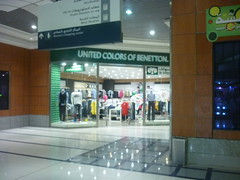
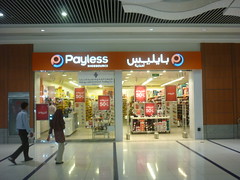
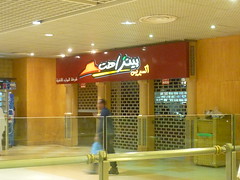
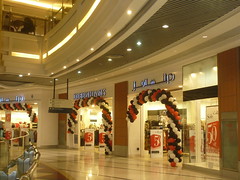
One thing that struck me the most while I was making an omra pilgrimage to The Holy Land last week was how English doesn’t have traction in The Kingdom of Saudi Arabia. For the whole eight days I was there, I barely met three people that spoke acceptable English. The rest just had terrible, broken English or didn’t bother to speak in it and chose to go with their native tongues instead.

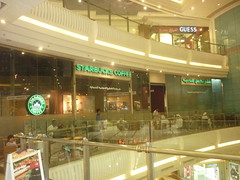
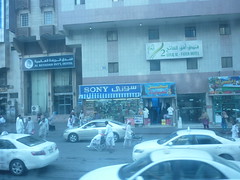
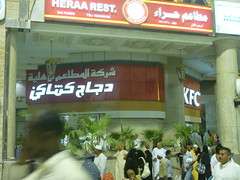
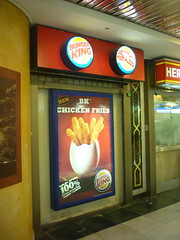
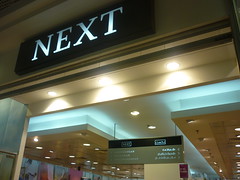
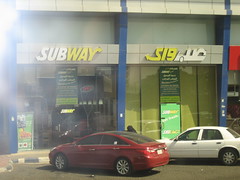
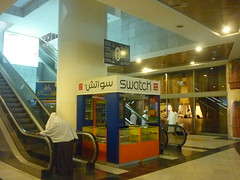
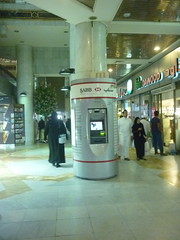
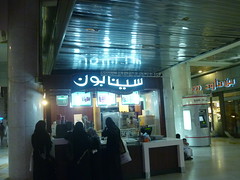
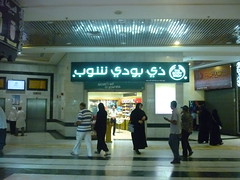
Perhaps that’s the reason why so many international brands went with localizing their brands when the enter the KSA — or better yet, Arabian — market. As evidence, I bring to you a collection of how the brands cope with the fact.

Fuddruckers

Chilis

Applebee’s

United Colors of Benetton

Payless

Pizza Hut

Debenhams

Starbucks Coffee (do you notice the mermaid-less logo?)

Oreo

Pepsi

Sony

KFC

Burger King

MAC Cosmetics

NEXT

Subway

Giordano

Swatch

HSBC

Cinnabon

The Body Shop

Baskin Robbins

Jun
03
Picture by MacLocks

Picture by MacLocks

Merely minutes after I got my hands on Apple’s gorgeous product —Apple fanboyism, guilty as charged— I had an epiphany. Where the hell is its Kensington security slot? Living in a country where laptop theft is rampant, I couldn’t imagine leaving my laptop out in the open without protection at all.

After a cursory search, I found several alternatives. One of them, hand-made in Germany, was a likely candidate with its simplicity and polished looks (sorry, no links, the URL’s no longer valid I guess). Unfortunately, it doesn’t work with the newer models of MacBook Air released in July 2011 since they have newly-redesigned hinges.

Then I found this Security Skin from MacLocks, a subsidiary of Compulocks Inc. Then priced at USD 39.95, I quickly snapped it up since I didn’t find any other viable alternatives. Basically, this product is a two-pieces plastic laptop cover that comes with a Kensington security slot molded into the bottom part of the cover. After nearly a year of using this product, here’s a rundown of its strength and weaknesses.

Pros

  • Easy to install. It came with a tiny Torx screwdriver and four screws. The screws are longer to accomodate the skin and the original screw holes. In case you’re wondering, I don’t know if this violates Apple’s warranty. Nothing is really broken or opened up. You’re just basically changing the four original screws with the ones supplied. You —or rather, the geniuses behind the bar— be the judge.
  • It protects the looks of the Air too. The security skin comes in to parts. The ones with the screws covers the bottom part of the laptop, while a second one covers its upper part. Its clear, so it looks unobtrusive. I decided to do without the upper part though, one of the reasons I bought the Air was to be able to touch its luscious metallic cover.

Cons

  • It’s not precisely made. I had to use only three of the four supplied screws since the last one didn’t fit the hole perfectly. I didn’t want to risk damaging the Air’s screw hole (that sounds dirty, isn’t?).
  • It brings a bit of a false sense of security. So, you got your Kensington lock into the slot, but really, will the plastic skin secure your laptop. A determined thief would be able to yank it off, I think. In that case, I think you should bank on the notion that someone around your laptop will ask questions or be suspicious about the guy.
  • Some dust and gunks will get between the cover and the laptop. You may want to regularly unscrew the skin and clean the covers of the Air.
May
21
ICV Ber-barcode

Image by Majalah Farmacia

Jadi, hari ini tadi ceritanya saya sekeluarga datang ke RSUP Fatmawati Jakarta untuk mendapatkan vaksinasi meningitis. Saya dan Pras sebenarnya sudah pernah dapat vaksinasi tersebut sebelumnya, tapi karena kami perlu kartu kuning vaksinasi meningitis (International Certificate of Vaccination) untuk keperluan perjalanan, tampaknya memang tetap perlu vaksinasi lagi.

Setelah sempat browsing untuk cari-cari info, kami dapat informasi dari satu blog bahwa RSUP Fatmawati Jakarta melayani keperluan semacam ini. Akhirnya kami putuskan ke sana karena dekat dengan rumah, dibandingkan dengan alternatif lain seperti di Pelabuhan Tanjung Priok atau Bandar Udara Soekarno-Hatta.

Masuk dari pintu Jalan R.A. Kartini, kami sampai di RSUP Fatmawati sekitar pukul 9 pagi. Setelah tanya Pak Satpam beberapa kali, kami diberitahu bahwa tempat layanan ada di Sentra Haji dan Umrah (SHU) yang lokasinya ada di dekat Griya Husada. Di sana kami masuk ke pintu pertama di sebelah kanan dan diberitahu bahwa kami harus mengisi formulir terlebih dahulu. Beberapa pertanyaan awal kami di-dismiss dengan sopan bahwa nanti sebaiknya didiskusikan dengan dokter saja. Selain itu, kami juga diberitahu bahwa untuk pelayanan, mereka membutuhkan fotokopi paspor dan juga pasfoto 4×6. Namun, setelah ditanyakan, akhirnya yang kami serahkan hanya fotokopi paspor saja. Karena nggak bawa fotokopi paspor, hanya aslinya saja, terpaksa saya fotokopi (IDR 1.800 untuk 9 lembar fotokopi) dulu di tempat fotokopi yang ada di Gedung Poliklinik. Dari SHU, sebaiknya masuk dari pintu samping kanan saja, jangan dari pintu utama gedung, karena tempat fotokopinya adanya di dekat pintu sampingnya.

Setelah melengkapi formulir isian yang kurang lebih menanyakan alamat dan riwayat kesehatan di ruang di seberang ruangan tadi (karena dilengkapi dengan dua meja), kami kemudian mengurus pembayarannya di kasir yang ada di Griya Husada. Keluar dari pintu SHU ke arah kanan, lokasi ini adanya di seberang Resto CFC. Di sana kami mengantri sekitar 10 menit setelah formulir isian diserahkan ke petugas yang ada di tengah dan diberitahu bahwa nama kami akan dipanggil apabila sudah siap.

Sesudah dipanggil, kami membayar biaya vaksinasi sebesar IDR 160.000 per orang. Sepertinya ini sudah termasuk biaya registrasi pasien juga karena kami belum pernah ke RSUP Fatmawati sebelumnya.

Pintu Ruang Pendaftaran dan Penyuluhan

Pintu Ruang Pendaftaran dan Penyuluhan

Dengan kuitansi di tangan, kami kembali ke ruangan yang tadi di SHU dan menyerahkannya ke petugas yang ada di dalam. Setelah menunggu nama kami dipanggil lagi, akhirnya kami dipersilahkan masuk kembali ke ruangan —total berlima dengan beberapa pasien lain— untuk diberi pengarahan oleh dokter yang ada di ruangan tersebut. Kami diberi penjelasan mengenai fungsi vaksinasi —melindungi dari kemungkinan terkena penyakit yang menyerang selaput otak—, masa imun setelah vaksinasi —dua tahun—, serta beberapa informasi dan tips lainnya. Selain itu, kami juga diberi kesempatan bertanya yang kami manfaatkan untuk memastikan apakah saya yang sekitar 1,5 tahun lalu sudah pernah vaksinasi perlu diulang lagi —ya, karena masa imun hanya dua tahun—, apakah ada efek samping dari vaksinasi yang bertindih dalam masa imun —tidak— dan juga apakah vaksinasi tersebut dapat menyebabkan panas pada anak kami —ada kemungkinan, tapi kecil sekali, sekitar 1:10.000. Setelah tuntas terjawab semua pertanyaan, Pak Dokter kemudian memeriksa tekanan darah kami. Selanjutnya apa? Ya menunggu lagi, kali ini untuk vaksinasinya yang ternyata diberikan di ruangan lain.

Saat nama kami dipanggil lagi, jumlah orang yang menunggu di SHU sudah sekitar 30-an. Sebaiknya kalau mau datang ke sini lebih pagi saja. SHU ini buka Senin sampai Jumat dari pukul 8 sampai 12 untuk pendaftarannya saja, sesudah makan siang, mereka tidak menerima pendaftaran lagi, hanya pemberian vaksinasi saja. Selain itu istirahat siang dari pukul 12 hingga 1 siang. BTW, wanita hamil tidak diperkenankan vaksinasi juga.

Vaksinasinya hanya perlu sekitar 2 menit. Setelah masuk, kami diminta mengisi daftar pasien dan langsung disuntik oleh ibu dokter yang ada di ruangan tersebut. Sesudahnya langsung kami diberikan kartu kuning yang tadi, disertai dengan tanda tangan dan cap RS. Alhamdulillah semuanya sudah beres dalam satu pagi.

Apr
15
Almarhum Bapak, Sebelum Dirawat di RS

Almarhum Bapak, Sebelum Dirawat di RS

Setelah berjuang di rumah sakit selama tiga bulan —dua setengah di ruang rawat inap dan sisanya di ICU— akhirnya Bapak berpulang ke rahmatullah hari Senin, 10 April 2012. Perjuangannya melawan kanker hatinya dari akhir 2006 tuntas sudah. Enam puluh dua usia almarhum, one year shy of The Prophet’s.

Kami sekeluarga ikhlas. Kami lebih tidak tega mendengar pedih sakitnya dan melihat deritanya. Ibu, yang telah bersama almarhum selama tiga puluh dua tahun, tentulah yang paling merasa kehilangan. Namun alhamdulillah beliau kuat.

Perkenankan saya di sini mengucapkan terima kasih atas semua dukungan yang diberikan ke saya dan keluarga saya selama ini. Semua doa, harapan, usulan, saran, dan juga segala sumbang saran dan urun rembug lainnya.

It takes quite a while to get used to … to the fact that that great guy is no longer with us. Farewell, Bapak. Be safe on your next journey.  Innalillahi wa innalillahi roji’un.

Oct
18

Sejak kantor gw pindah ke Jakarta Selatan dari kawasan Semanggi, gw akhirnya jadi salah satu penumpang setia TransJakarta koridor 8. Selama setahun lebih ini, ada banyak hal yang menurut gw bikin TransJakarta nggak bisa dibandingkan sama sarana transportasi umum kelas dunia. Here are the reasons why.

Jumlah bus terlalu sedikit. Pernah coba pulang kantor naik TransJakarta pas rush hours? Konsekuensinya cuma dua, nunggu lama di halte atau bisa masuk bus tapi penuhnya nggak ketulungan. Rasa frustasi yang ada semakin diperparah dengan tidak pastinya jadwal kedatangan bus dan perilaku manusia Jakarta yang nggak pernah paham konsep antri (but, then again, this is probably fueled by the previous facts). Herannya, setiap kali BLU TransJakarta buka koridor baru, tradisi pinjam-meminjam bus antar koridor nggak pernah bisa dihilangkan.

Ini udah begini sejak 2009.

Ini udah begini sejak 2009.

BLU TransJakarta nggak kenal sebuah ide radikal: pemeliharaan. Coba liat berapa banyak halte yang pintunya nggak jalan, lantainya berlubang. Lalu coba lihat berapa banyak bus yang AC-nya nggak beres, pintunya rusak, atau papan dan PA system notifikasi halte yang nggak berfungsi. Semuanya dibiarkan bertahun-tahun tanpa ada upaya perbaikan atau paling nggak langkah-langkah pengamanan untuk penumpangnya. Nyawa emang dianggap murah di sini ya? Gw pernah kesandung dan nyaris jatuh pas turun dari bus karena pintu shelter yang gw pikir udah kebuka ternyata masih ketutup tapi kacanya pecah.

Tidak ada konsistensi. Pernah liat peta jalur TransJakarta? Pernah coba bandingkan sama keadaan sebenarnya? Rute Pluit-Pinang Ranti punya akhir perjalanan yang berbeda tergantung jenis busnya, bus gandeng hanya sampai Grogol, sedangkan yang tunggal sampai Pluit. Rute Pondok Indah Harmoni punya trayek berbeda tergantung harinya, saat akhir pekan lewat Tomang, saat lainnya lewat Roxy. Pernah memperhatikan di mana bus-bus itu berhenti? Kadang di pintu terdekat dengan loket, kadang di pintu terjauh. Nggak terhitung gw harus lari-lari cuma karena gw nunggu di pintu yang salah. Herannya nggak ada sekelumit pemberitahuan pun kepada penumpang kecuali penumpang nanya. Lha kalo penumpangnya nggak tau kalo harus nanya gimana?

Fasilitas untuk orang difabel (people with different abilities) cuma omong kosong. Ramp di jembatan penyeberangan itu ceritanya kan buat mereka yang difabel kan? Pernah merhatiin nggak kalo ujung-ujungnya apa bener bisa dilalui sama misalnya orang berkursi roda? Di sepanjang koridor 1 aja gw tau ada beberapa halte yang ujung ramp-nya terlalu curam untuk kursi roda atau malah dikasih tangga. Lha? Ini niat nggak sih nolongin orang? Lalu di busnya juga nggak ada tempat untuk orang berkursi roda. Yang gw baru liat di bus-bus koridor 9 aja yang ada tempatnya.

Kualitas pengemudi mayoritas cuma lebih baik satu strip ketimbang angkutan umum biasa. Nggak terhitung berapa kali jalan gw (sebagai pengemudi mobil) dipotong sama bus TransJakarta di lampu merah, padahal jelas-jelas lampu buat mereka menyala merah. Gw sebagai penumpang juga udah bosen liat mereka seenaknya makan jalan orang lain di lampu merah walaupun belum jadi haknya. Frustasi karena waktu tempuh lama memang bisa dimengerti karena lajur khusus mereka banyak disabot pengemudi goblog, tapi apa itu jadi pembenaran untuk ikutan goblog?

Niat sterilisasi lajur busway nggak sungguh-sungguh. Bosen banget sama yang satu ini. Apa gunanya dibikin jalur khusus kalo emang orang yang nyabot dibiarin aja? Jadinya cuma jadi perangkap polisi busuk aja. Dulu pernah ada ide contra-flow itu kok nggak jadi diimplementasikan setelah diuji coba kenapa ya? Ada yang tau alasannya? Padahal itu menurut gw sakti banget untuk sterilisasi lho. Ampuh, motor mobil nggak bakal ada yang berani deh.

Kok sepertinya nggak ada pengukuran metriks apapun untuk mengukur keberhasilannya ya? Gw nggak tau apa ini udah berjalan otomatis di belakang layar atau gimana. Setau gw, untuk transportasi publik itu ukurannya adalah waktu tunggu di halte, waktu pindah antar rute, tingkat okupansi bus, dan semacamnya. Gw kayanya nggak pernah liat ada yang ngukur beginian deh seumur-umur. Ataupun kalau ada, palingan cuma survey jangka pendek. Padahal ya kalau ini diotomatisasi, datanya bisa dianalisa kan? Faedahnya ada banyak lho. Pertama, bisa dianalisa kelemahan-kelemahan jalur busway-nya. Misalnya, jam segini di titik ini macet parah, jadi perlu ditambah frekuensi busnya. Faedah lainnya adalah data tadi bisa dikembalikan ke publik kan? Jadi mereka bisa memutuskan hal-hal seperti kalau mau sampai di lokasi A jam segini, saya mesti ada di halte busway B jam segini. Itu fitur normal lho di negara maju. Nggak ada yang hebat di situ.

Kalo hal-hal di atas bisa ditangani, paling nggak gw yakin ada banyak pengendara mobil pribadi yang mau beralih ke transportasi umum. Nyupir itu capek dan nggak murah lho, tapi buat sebagian besar orang, itu masih mending ketimbang berjejal di bus yang nggak pasti datangnya karena jalurnya nggak steril dan mengancam jiwa karena nggak ada pemeliharaan fasilitas. Jadi ketimbang cuma menghukum pengendara pribadi dengan kemacetan dan ancaman naiknya harga bensin dan tarif parkir, kenapa nggak diber insentif untuk pindah dengan transportasi umum massal yang nyaman dan manusiawi? Takut rugi? Mayoritas perusahaan transportasi publik memang merugi kok, tapi semuanya kan untuk the greater good toh?

Mar
05

… is that this exhilarating experience I’m having here, stateside, with all the opportunities, the exuberance, the out-of-the-box thinking, and even the mere peacefulness of its law and order; will alter my perceptions of my real life back home so much that I’ll never look at it ever again without having a condescending view of it all. Dear God, please lead me to the path of gratefulness and humility, and not to the opposite. Amen.

[To dear readers, this post is not meant as the way I view my peers & colleagues, this is more about the way I perceive my life and, to a certain extent, my nation & my country as a whole.]

Mar
05

Being a graduate student here in the U.S., I found that the hardest part of doing the homeworks, essays, and papers are not the assignments themselves. In fact, for me, the hardest part is almost always finding the resources I need to support my homeworks. Although you can find abundant information in the web, sometimes the fact that you’re a foreigner in a foreign country can distract you from the most obvious sources of information. Here are some of the resources I found which have been proven helpful when I need to support my ideas and thoughts with relevant data.

  1. U.S. Bureau of Labor Statistics. Part of U.S. Department of Labor, this organization and the cornucopia of data and statistics it provides helped me a lot for my more business-oriented courses. Here you can find various U.S. data and some international data too for comparison about inflation, labor costs, compensation, benefits, etc.
  2. FedStats. This website acts as an aggregator of various statistics offered by various U.S. governmental agencies. If you couldn’t figure out which agency has that piece of information you need, head here first.
  3. National Center for Healthcare Statistics. Surprisingly, this branch of Center Disease Control – yes, that organization which deals with contagious viruses and bio-weapons – has a trove of health-related statistics. I once pulled fertility numbers from the site to back-up one of my tasks’ basic premise.
  4. Your university library. Yes, they also offer help that you can use. For example, the CMU Library subscribes to various academic journals and business materials (reports, market insights, etc.). These types of materials usually costs companies thousands of dollars, so you know how their quality are like. They also offer research guides for particular topics which will aim you to the right direction for your particular search subject.. So, try to talk with your librarian first.
  5. Online Timer. I use this site to prepare myself for the presentations. I even use it as a timer when I do presentations. What I do usually is to prop someone else’s laptop open, open the URL on a browser and then just have it as a giant timer in front of me. Works great so that you needn’t take a glance at your watch every so often.
  6. Creative Commons Search. Whether you agree or not, a picture is still worth a thousand words. At least, putting relevant pictures into your papers or presentation will make it pretty and convincing. Usually, we turn to Google Images for this purpose right? Unfortunately, combing through Google Images brings about a serious drawback in the academic world: license and copyright issues. So, if you want to make sure you’re in the clear about these issues, do a Creative Commons search instead. This way, you’ll ensure that all your images (and other multimedia content for that matter) will at least leave you a certain degree of latitude about what you do with it.
  7. Purdue Online Writing Lab – Research and Citation Resources. Never get yourself tangled in the web of plagiarism. I could not emphasize more on the importance of citation in the western academic world. Always paraphrase and cite properly. The writing lab offers an excellent guide on how to cite properly in your papers and assignments, including the popular APA standard.

That’s it. I hope this helps.

Jan
26
american flag-2

Photo by krossbow

I’m now on day 175th here in the U.S. This being my first time long-term experience living abroad, I made a lot of, let’s just say, missteps along the way. If I had the chance to start over, here are a few pointers that I’d like to know prior to going here.

A.Clothing & Attire

  1. If the place where you’re going is cold (i.e. Eastern U.S., Europe), ditch the wool/knitted gloves. They won’t cut it with the temperatures. For anything below 15°C, you should go with insulated gloves.
  2. When buying winter coats, look for something with a neutral color. You have some latitude if you’re a woman, but as a general rule of thumb, save the bright colored ones for the slopes. You don’t want people looking at you strangely because you’re wearing that neon blue jacket on the bus. Trust me, this happened to me. Try black, dark blue, grey, or something along those lines. You might also consider those wool formal/semi-formal pea-coats or trench-coats which will go more nicely with your formal attire.

B. Shopping

  1. Buy your winter clothes stateside. This will save you a lot of lugging around and you’ll definitely get the latest models. The price difference is not to big of a deal, and you’ll definitely get newer models. Try to buy the clothes before the winter actually starts to kick in in order to get better prices, or better yet, buy the winter clothes in the Spring to really save some money.
  2. Buy your clothing at thrift or discount stores. Try DSW for shoes, Marshalls or T.J. Maxx for clothes, and Burlington Coat Factory for everything else. You should avoid retailers like Macy’s or J.C. Penney. If you want to splurge a bit, you can try AmericanEagle Outfitters.
  3. Be on the lookout for discounts and coupons. Believe it or not, discount coupons are a big thing in the U.S. I regularly check sites like Groupon or Woot’s Community Deals to monitor for those. I also check DODTracker once in a while, although I most warn you that the deals on that site are not to good. Often they try to sell cheap knockoffs or Chinese made products. Nonetheless, I got nice Oakley sunglasses through that site. My other favorite site is RetailMeNot, which also offers discount coupons for retailers online and offline.

B. Transportation

  1. If you just need a car occasionally, consider joining Zipcar or similar car-sharing services. This way, you can avoid the hassle of looking for a car, transferring the title, paying insurance, car maintenance, and eventually selling the car again. Of course, I live in a bigger city, so the service is available and the cars quite ubiquitous.
  2. Before reporting that Zipcar damage, you may want to purchase the additional insurance waiver. You’ll regret not doing so, buy it while you still can. They have a policy that you have to wait a whole accident-free year before you can buy the waiver after you report an incident.
  3. Install GoogleMaps on your phone. This is quintessential. Printing a map is so 90s. With GoogleMap on your phone, you’ll easily browse your way around and even figure out the public transportation required to go to your destination.

C. Apartment

  1. Find an apartment with central heating. It’s the best method to distribute heat evenly throughout the place. If you can secure an apartment with all utilities included (sewage, trash, water, gas), it’ll be even better.
  2. Not all Internet services are available. The service which you can use depends on the building management. For example, my apartment’s neighbourhood is serviced by Verizon’s FiOS, but they couldn’t hook it up to my apartment because for an apartment building with more than a certain number of units Verizon requires an on-premise equipment, which they can only do with the building management’s permission. I was practically stuck with Comcast service (higher price, lower bandwidth, dang) because of this.
  3. Try to leverage your student status to get discounts with the cable company. I got a discount of  USD 50 from the monthly subscription when I mention that I’m a student at CMU.

D. Household Appliances

  1. Find these on Craigslist first. Instead of buying new, you can get them cheaper used. I got a microwave oven for USD 20 (instead of USD 60 at Walmart), a toddler high-chair for USD 15 (delivered to my front door, no less), a bike complete with helmet and accesories for USD 80 (instead of USD 150+ new).
  2. You can also try garage sales. Usually with the hordes of freshmen coming, these will come abound.
  3. If you do buy new, keep all the boxes for selling later. You eventually have to sell, right? Keeping the boxes will help a lot. You can also get out on a limb and save the details page of the things you buy to make it easier for you when you advertise it on Craigslist.

E. Communication

  1. If you don’t need the data plan, go for the prepaid services. They will save you quite a sum of money. Oh, and mention that you’re a student when you apply for the services. Sometimes they will waive the application fee that way.
  2. To call home use Skype (obviously). Skype’s new beta version even offers multi-party videoconference. You can try ooVoo if you want an alternative.
  3. To really call home you can use international calling cards. I used GlobalMind fro eCallChina. For USD 20 you can get like 400 minutes calling to a landline or about 200 minutes to a cellphone. The call quality is not bad, aside from the occasional 1 second delay and failed call. They also have local phone numbers in most U.S. cities you can also save the local call needed to use the service. As an alternative, you can use Skype’s paid offering.
  4. If you really want to skimp on local calling, you can use GoogleVoice from your computer. It’s free until the end of 2011.

F. Financial

  1. Open an account at a bank which has a partnership with your school. Most often than not you’ll get benefits such as free tuition transfer fee, discounts at merchants, and other free perks. I opened an account at PNC because they’re ubiquitous in Pittsburgh, offer a free checking account. Another benefit is that they allow one free incoming wire transfer per month (saving me USD 8, if I’m not mistaken, per transfer). Their online banking system also rocks!
  2. To save on monthly administration fee, you and your spouse can opt to open a joint account. They will give you a separate card and separate online banking user IDs for both of you at no extra cost.
  3. Don’t bother applying for credit card. First of all you’ll need a social security number and it takes years to build your credit profile. If they approve your application, the limit on your card will likely be on the lower hundreds of dollars. You couldn’t do much with it. Besides, all Visa or Mastercard debit cards can be used just fine with online and offline merchants.

G. Other

  1. Try to get a social security number if you can. It’ll make your life much easier. You can get phones for cheap (albeit with the whole or 2-year contract), get discount cards at retailers, and other perks. Too bad today they require written job offer letters before they will issue one.
  2. Tipping. Tipping is a rather hard skill to master. There’s a lot of different arguments about this one. However, as a rule of thumb these apply.
    1. 15%-25% tips is expected at restaurants & services. Leaving less means that you had an unpleasant service and sometime the waiter will confront you about this.
    2. No tipping is expected in places where you have to get your goods yourself (self-service) e.g. fast-food chains, supermarkets, & if you get your goods to go.
Jan
18

Needed some place to document lessons learned from doing the prolonged task 7 in my program, Web Services. Where best other than my own humble blog?

  • How to configure servlet debugging on Tomcat with Eclipse.
  • Get an SVN server running for your group. It’ll save you a lot of headaches.
  • Do use SVN plugins with your IDE (Integrated Development Environment) instead of using a separate IDE & SVN client. The latter is just to much hairy, overhead, and headaches.
  • Subclipse (SVN Plugin for Eclipse) update/installation end-point. You should use this URL in Eclipse’s add plugin dialog in order to install it.
  • JavaHL Wiki. If you hit an error running Subclipse and the error is something about missing JavaHL class, you should download the package from this site.
  • Workspace

    Photo by Sawyer Pangborn

    How to use Subclipse (SVN Plugin for Eclipse).

  • List of eBay Sandbox’ unsupported features. You’ll save yourself from a lot of banging your head against the wall if you read this at the start of development.
  • Strive to commit only working code.
  • You may want to use a uniform IDE across all of your team members. It’ll save you a lot of effort trying to make the project’s build structure uniform for different IDEs.
  • Save your project frequently. Somehow Eclipse is so unstable. Every so often, my team members have to delete their Eclipse project and do a whole project checkout again from the SVN server. Damn you, Eclipse!
  • If you can, try to configure Eclipse to use your real, physical Tomcat instance & installation folders instead of having it set up its own Tomcat environment. I’ll show you how in another blog post, hopefully.
  • If in doubt, clean, build, and publish your project. That’s the best way to keep your sanity. Again, Eclipse & Tomcat combination is soo unstable.
Jan
13
the fucking finger

Photo by canvas blank

I’m in the middle of  a project for my graduate degree which involves creating a helper app for eBay sellers to list their items on eBay through its Trading API. I’m writing it in Java so I’m using their Java SDK. The version I’m currently using is version 687, their latest one. I’ve been bitching and moaning about a lot of things in their API & Java SDK documentation, but the one thing that finally pushed me over the edge and made me write this angry rant is eBay’s inconsistency in observing its own business rules inside the SDK.

Take the class of ShippingServiceDetailsType as an example. It has the method isValidForSellingFlow() which tells us that “If true, the shipping service can be used in the AddItem family of calls. If false, the shipping service is not currently supported when creating or modifying listings.” The problem is that it seems that the programmers forgot that a boolean value is a binary condition and added a third option of null. Just beautiful. When I retrieve US eBay Site’s possible values for the ShippingServiceDetailsType class through GeteBayDetailsResponseType class’ getShippingServiceDetails() method, all I’m getting for the 68 returned objects’ isValidForSellingFlow() method is either null or true.

At this point, one would assume that the nulls should just be treated as falses, right? Wrong! By doing just that, I created lists of ShippingServiceDetailsType for domestic and international shipping without the ones with null values, effectively excluding three possible ShippingServiceDetailsType for freight shipping (they’re the only ones available for freight shipping, mind you). The lists would then be fed into my add item JSP, rendering my user unable to select freight shipping for his/her item. Even when I have another selection for setting ShippingTypeCodeType to ShippingTypeCodeType.FREIGHT_FLAT (as it’s clearly documented here, to select freight shipping), the API returned this lousy “SEVERE: com.ebay.sdk.ApiException: At least one valid shipping service must be specified.” error when I tried to list the item.

This is just one example. Don’t get me started on my story about how two different classes have the same method (and supposed to return the same object) but don’t, or how the Javadoc for the SDK are mainly just unexplained collections of attributes and methods. You’d be surprised at the number of hairs I’ve lost over these darned inconsistencies. And the project is not even due yet.

Follow

Get every new post delivered to your Inbox.

%d bloggers like this: